Mastercase Distributors · Product design & frontend implementation
Wholesale access.
Built through
agentic design.
A complete buying experience, designed and built with Claude Design and ChatGPT. From the homepage and catalog to signup, product details, cart, and account, every exploration happened in code.
Section 1 · Overview
A new way
to stock shelves.
Mastercase is a wholesale platform for retailers and distributors buying health, beauty, household, and grocery inventory by the case.
The business ambition
Howard envisioned a platform that dropships inventory from manufacturers, opening access to a broad assortment through a straightforward purchasing experience.
For a new business, the objective was to acquire its first customers and turn their interest into first orders.
“You’re creating a user experience that is better than what is there now.”
Howard · Client, project discussion
Section 2 · Problem
Make the first
purchase approachable.
The platform had to explain a new wholesale offering while helping prospective buyers find familiar products and begin building an order.
Buyers know their products.
Target buyers often know the brand and product they need. The catalog needed to support direct product finding alongside broader browsing.
Images were uncertain.
Early uncertainty about access to product photography pushed the exploration toward layouts that remained useful through product information alone.
Cards were hard to scan.
Early feedback identified scanning difficulties on desktop and mobile. Users relied on filters and side navigation to reach the items they wanted.
How could a new buyer move from a large assortment to a relevant product, with enough information to start an order?
Section 3 · Process
Explore in code.
Decide through use.
I directed Claude Design and ChatGPT from exploration to frontend handoff. No Figma.
- Frame the experience
Define the buying journey with Howard.
- Build alternatives
Build working homepage and catalog alternatives.
- Evaluate and refine
Review readability with agents and the team.
- Deliver the frontend
Hand the responsive frontend to the backend engineer.
01 · Card hierarchy
Make the product easy to find.
Three hierarchies for finding a familiar product.
Price dominates the scan.
The product name leads.
Scan the brand, then its variants.
02 · Mobile list rows
Give names room to read.
Five variations balanced quantity controls against readable product names.
A · Quantity controls on every row
B · Quantity moves to a separate sheet
03 · Product detail and quick add
Two intentions.
Two destinations.
The catalog row
Quick-add bottom sheet
Quick-add side sheet
Design explorations reviewed with agents and the team.
Section 4 · The product
One buying journey.
Every screen considered.
The work extended across the frontend: introducing the business, finding inventory, creating an account, choosing products, building an order, and managing it afterward.
01 · home
Introduce the business.
Invite the first order.
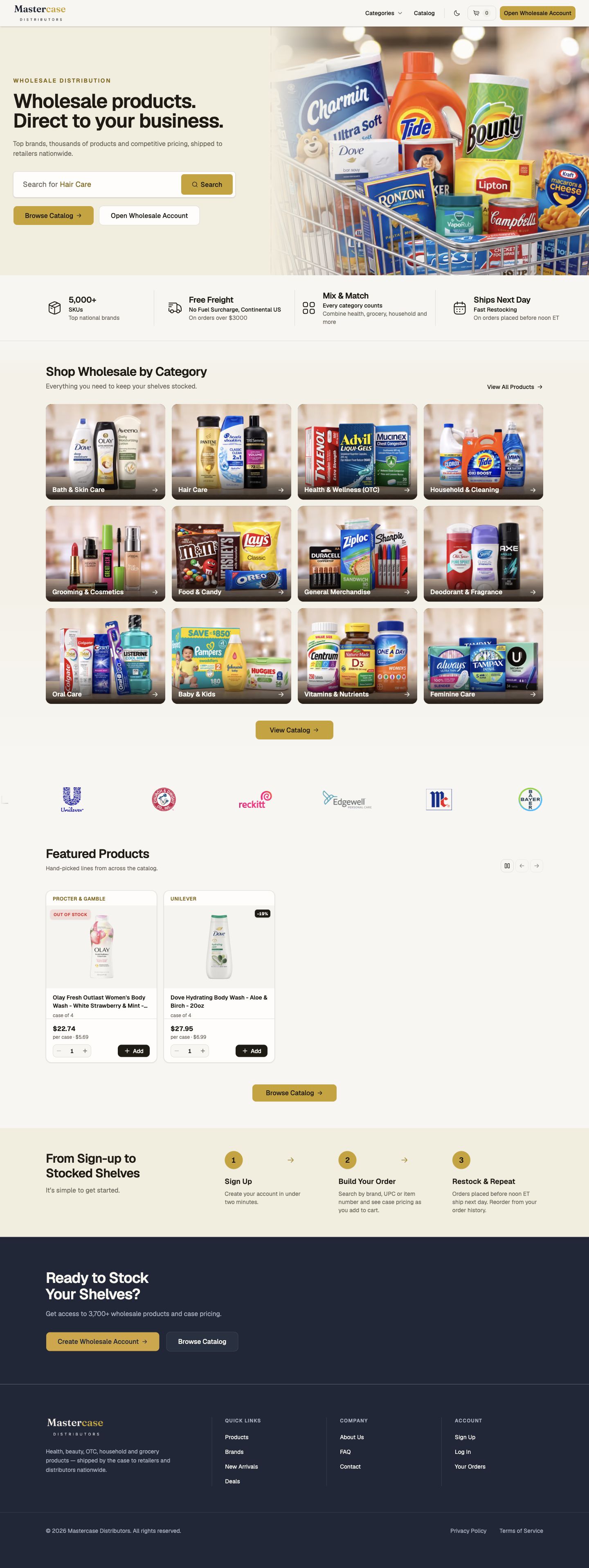
For a new wholesale business, the homepage has to explain what is available and give prospective customers a clear next action.
- A direct wholesale proposition and a visible catalog search.
- Visual category browsing across the assortment.
- Routes to explore inventory or open a wholesale account.

Scroll inside the screen.
02 · catalog
Make a large catalog
easier to scan.
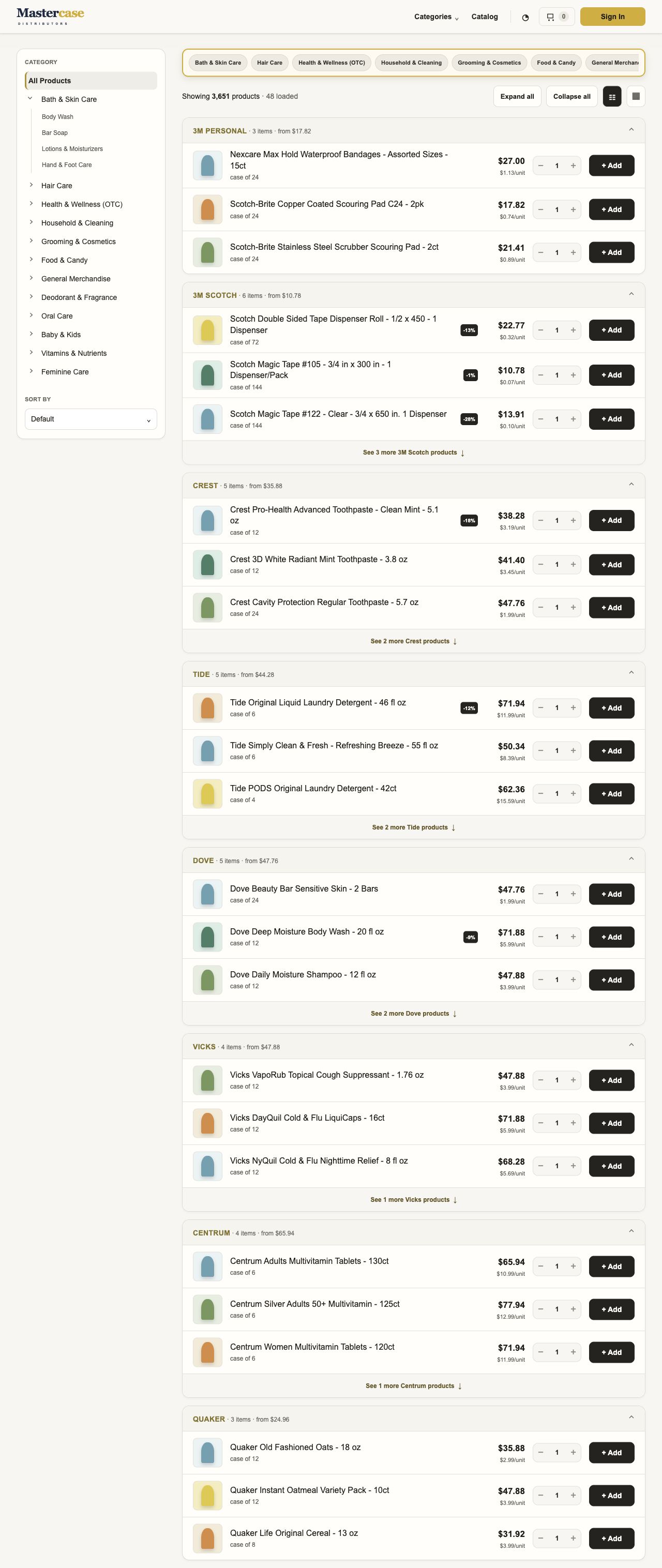
The list direction places product information in consistent positions. Brand sections provide an overview, while category navigation helps buyers narrow the assortment.
- Product name, case size, pricing, quantity, and add controls in each row.
- Expandable brand groups and list or grid presentations.
- Category navigation on desktop and a filter entry point on mobile.

Scroll inside the screen.
Keep subcategories close to the products.
Controls above the results complement the side menu, providing a direct way to narrow the selection.
03 · Product information
Look closer.
Keep your place.
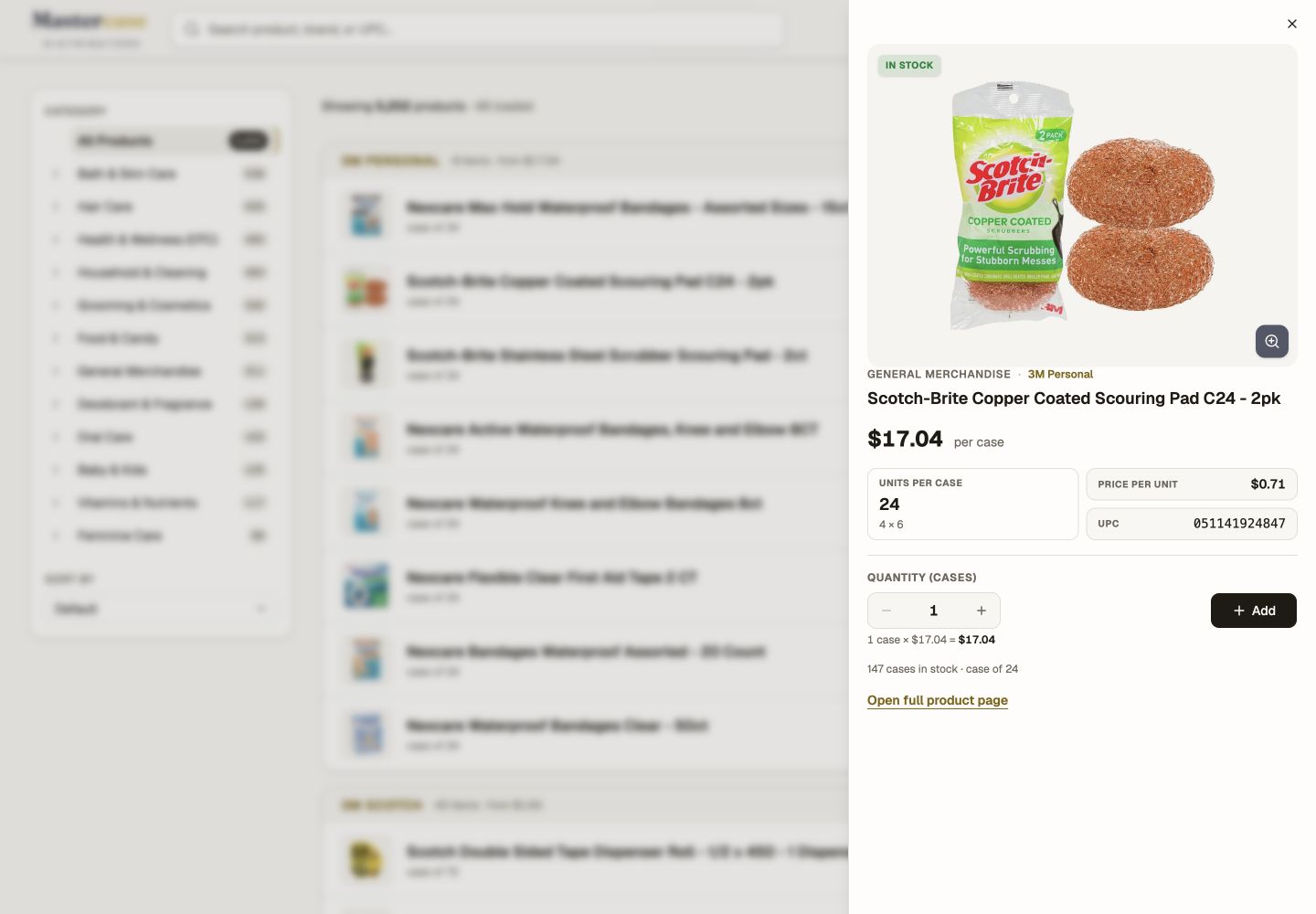
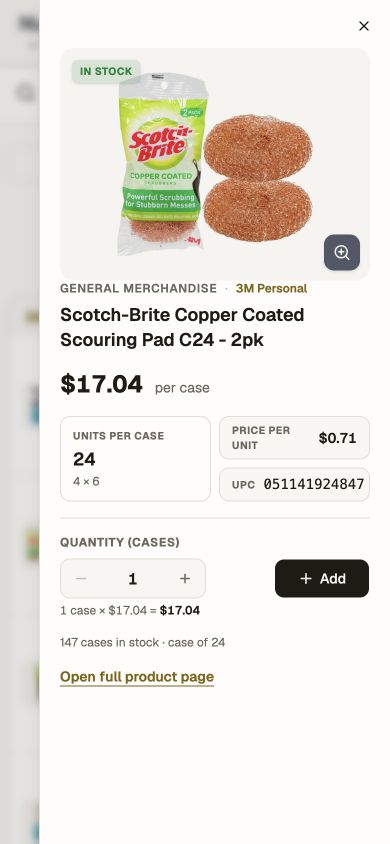
A product information side sheet opens over the catalog, allowing the buyer to inspect an item while retaining the context of the list behind it.
- A larger product image, availability, and category or brand context.
- Case price, units per case, unit price, and UPC together.
- Quantity selection, an add action, and a route to the full product page.
Scroll inside the screen.
04 · signup
Turn interest
into an account.
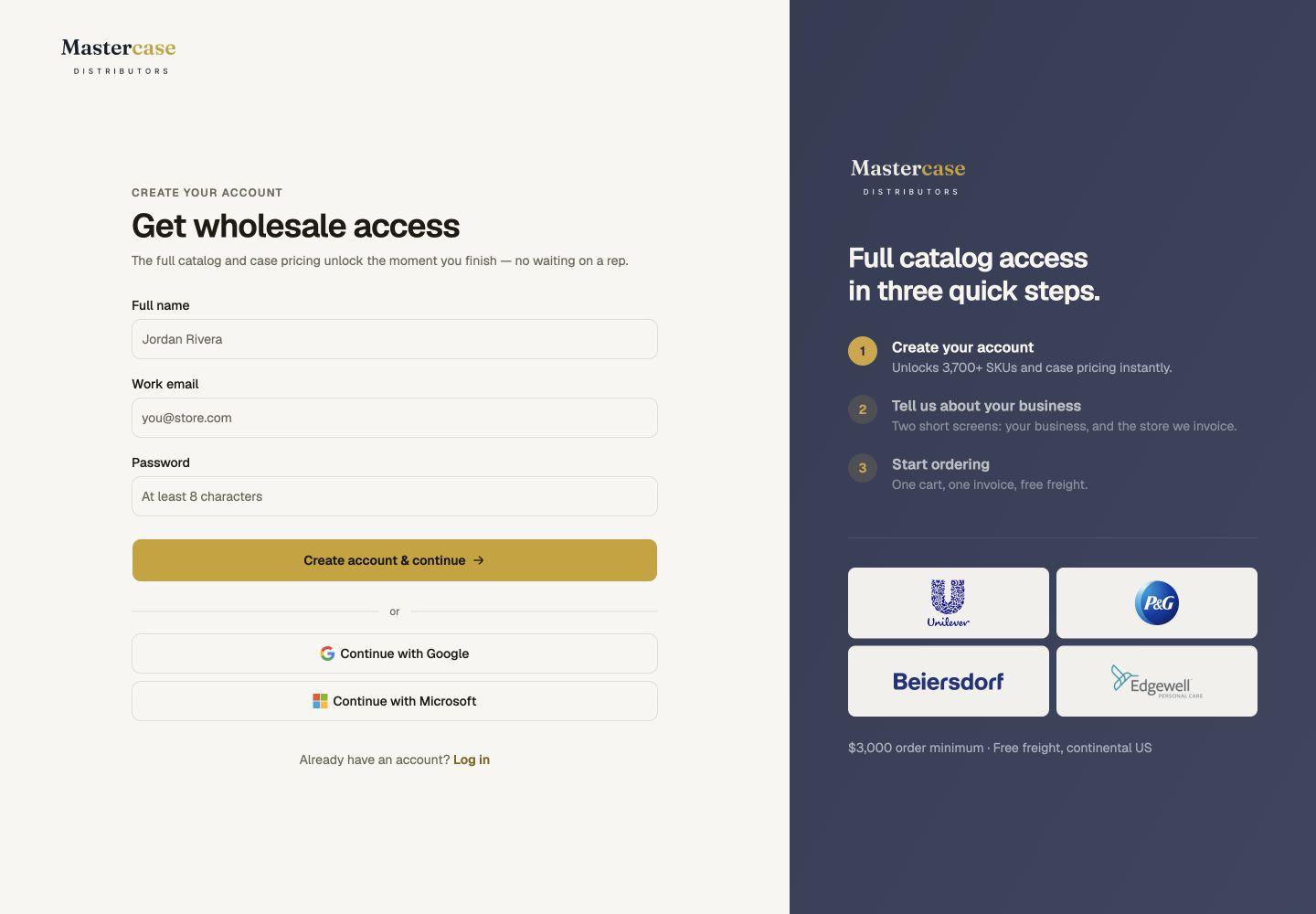
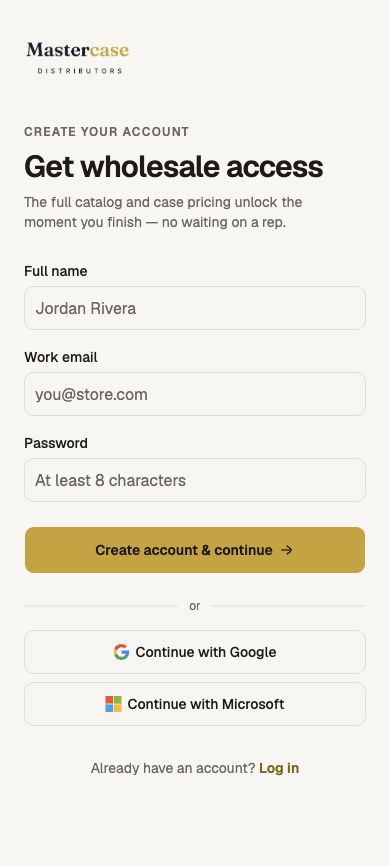
Account creation is part of the acquisition journey. The initial form asks for the information needed to begin, with business profiling explored as a sequence of separate steps.
- Name, work email, and password in the initial registration form.
- Visible routes for new and returning buyers.
- An email confirmation and business-profile sequence in the working prototype.
Scroll inside the screen.
Onboarding · Original Claude prototype
Business type, then store details.
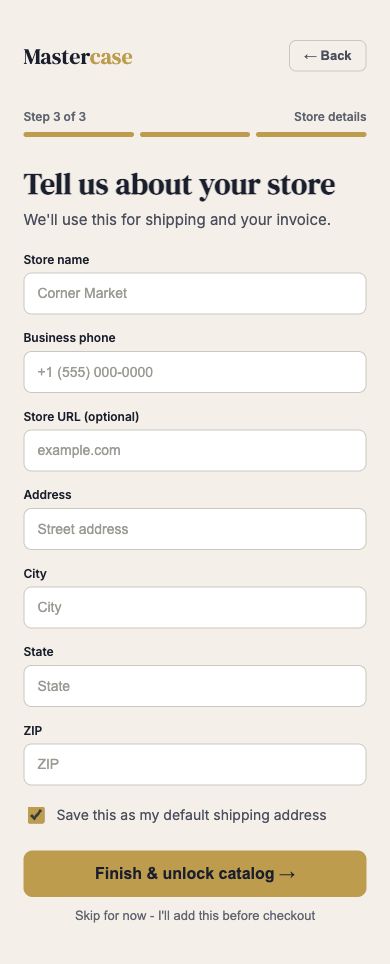
The original flow used illustrated business-type choices, followed by a dedicated store-details form. Store details could be deferred until checkout. These captures show the original design rather than the simplified reconstruction.
05 · cart
Review cases, quantities,
and order total.
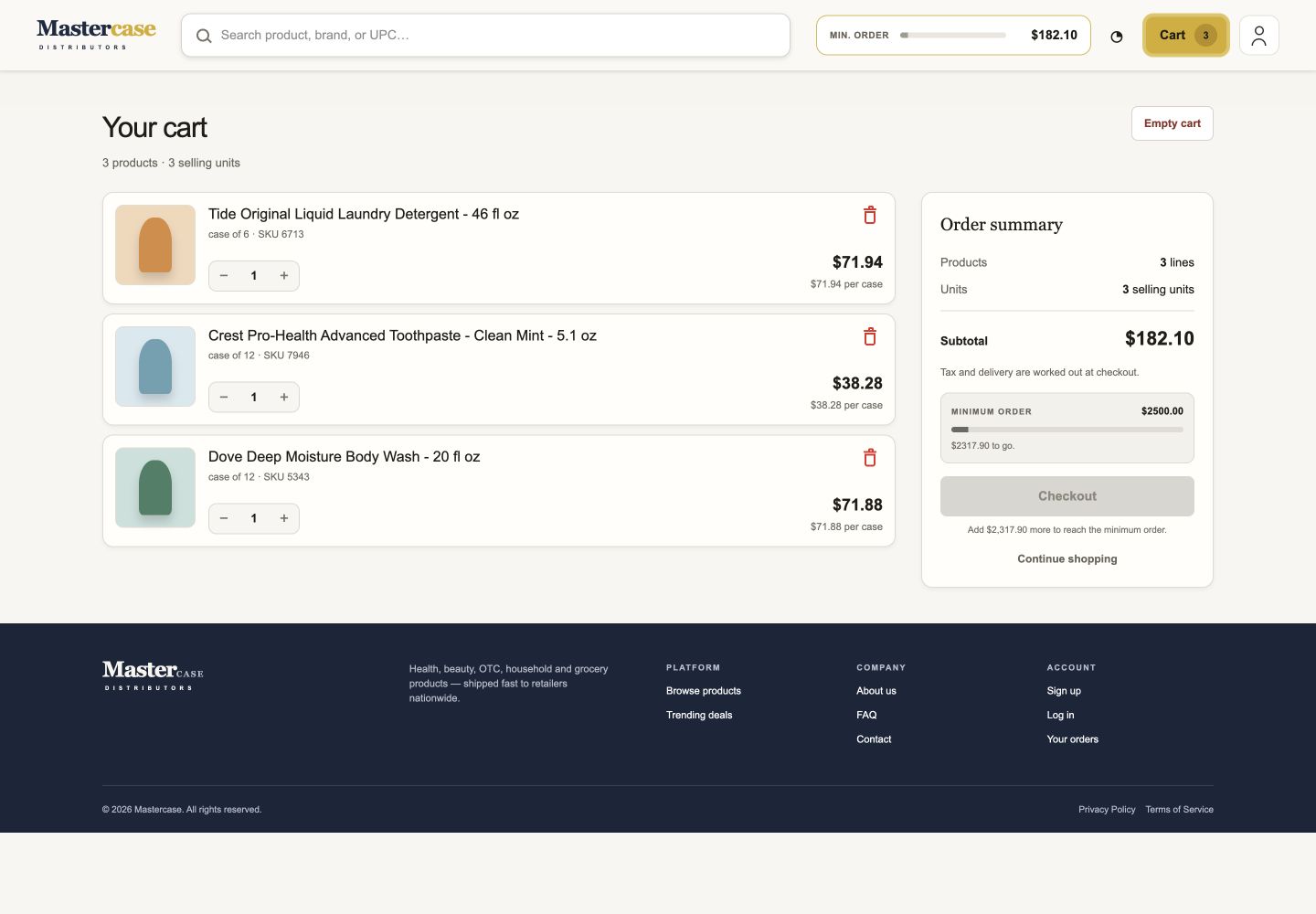
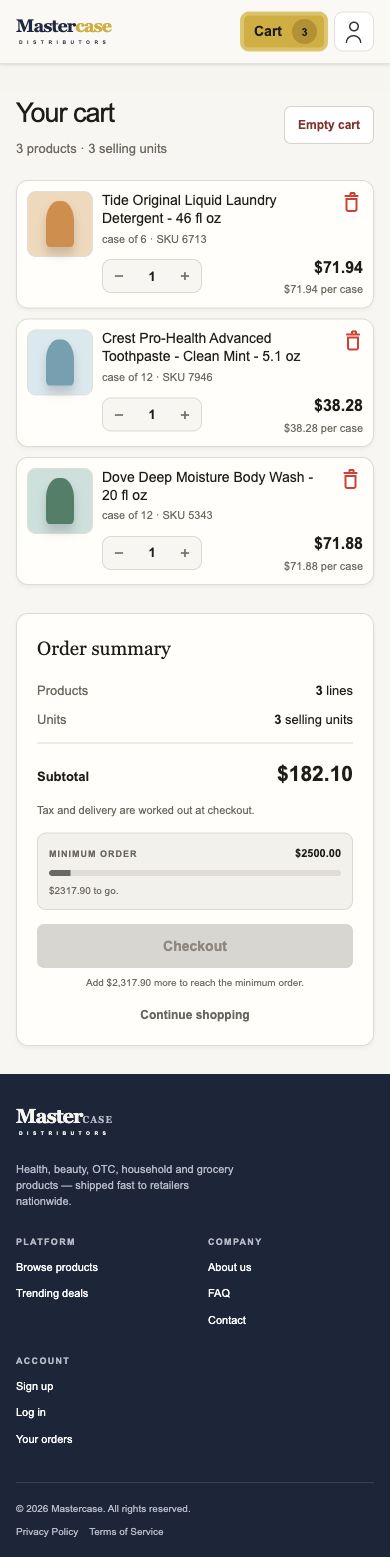
The cart lets buyers review selected products, change case quantities, and check the subtotal. It also shows the minimum order value and how much more is needed before checkout.
- Editable product quantities and individual removal controls.
- An order summary with a running subtotal.
- Visible minimum-order progress and checkout eligibility.
Scroll inside the screen.
06 · Your account
Give every order
a place to live.
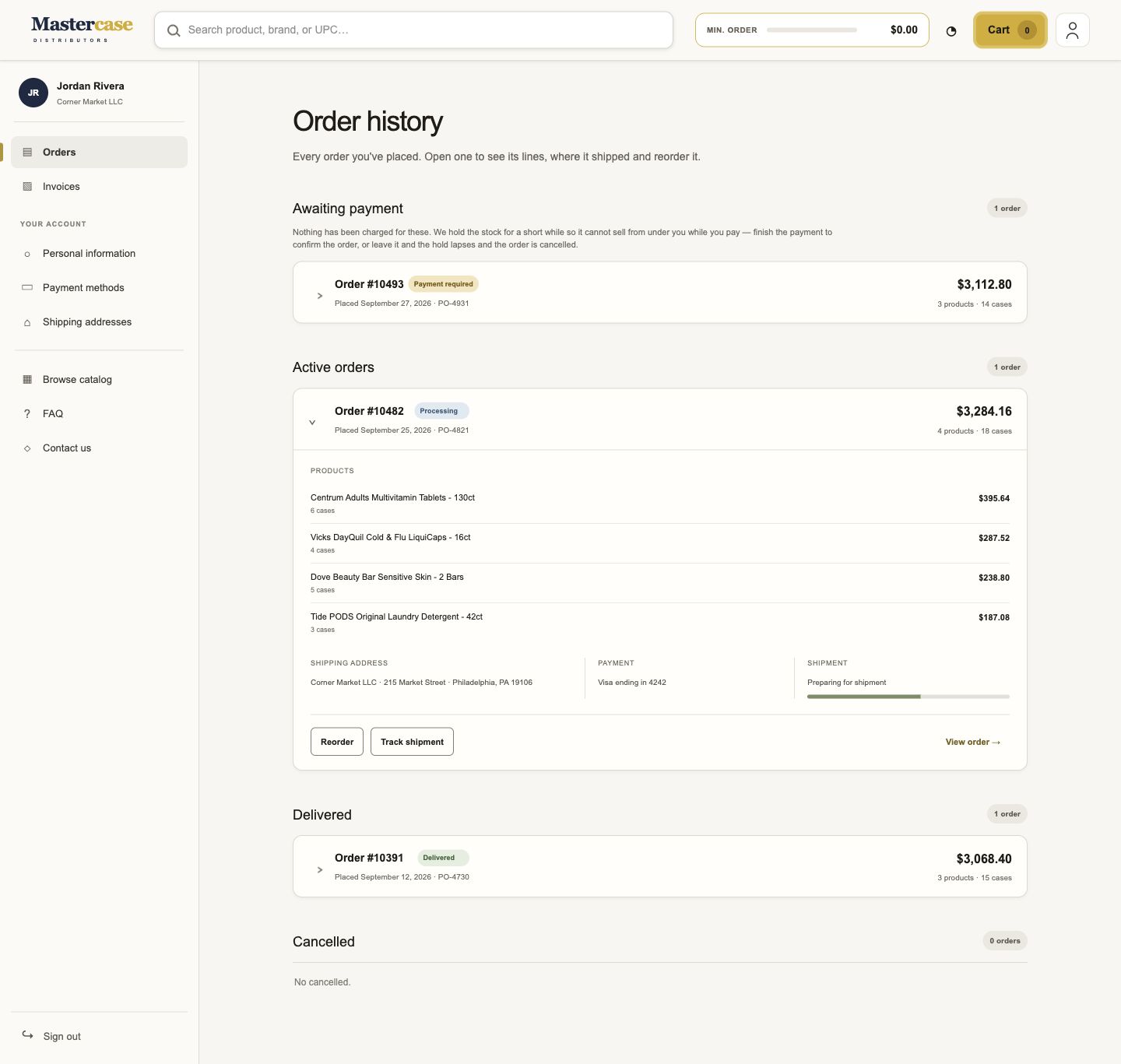
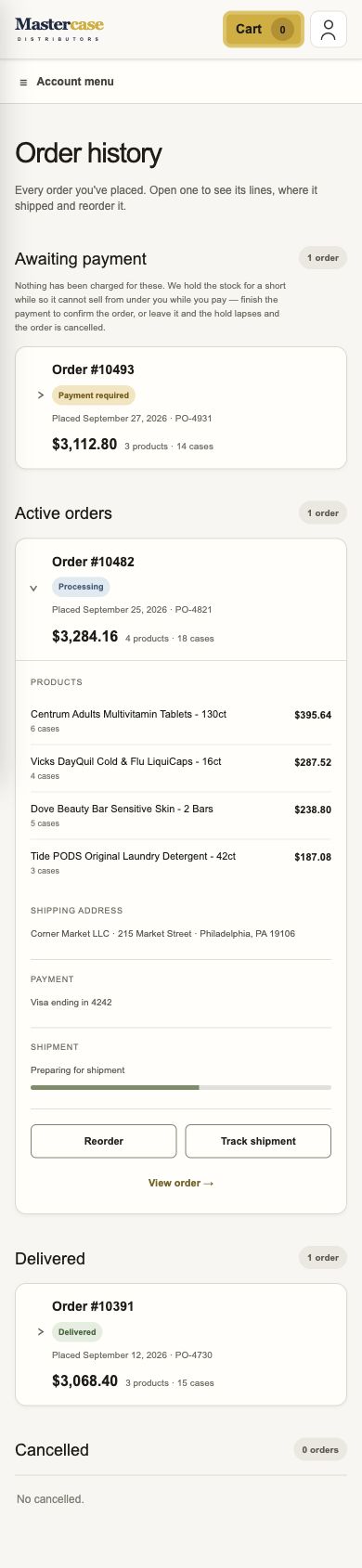
The account experience organizes orders by status, with expandable records for understanding what was ordered and what happens next.
- Separate groups for awaiting payment, active, delivered, and cancelled orders.
- Expanded product lines, shipping, payment, and shipment information.
- Designed actions for reordering, tracking, and resolving payment.
Scroll inside the screen.
Frontend implementation
A connected experience,
ready for engineering.
I designed and built the UI components, responsive layouts, and interactions across this journey, then handed the frontend implementation to the backend engineer for production implementation.
Section 4 · The product
One buying journey.
Every screen considered.
The work extended across the frontend: introducing the business, finding inventory, creating an account, choosing products, building an order, and managing it afterward.
01 · home
Introduce the business.
Invite the first order.
For a new wholesale business, the homepage has to explain what is available and give prospective customers a clear next action.
- A direct wholesale proposition and a visible catalog search.
- Visual category browsing across the assortment.
- Routes to explore inventory or open a wholesale account.
Scroll inside the screen.
02 · catalog
Make a large catalog
easier to scan.
The list direction places product information in consistent positions. Brand sections provide an overview, while category navigation helps buyers narrow the assortment.
- Product name, case size, pricing, quantity, and add controls in each row.
- Expandable brand groups and list or grid presentations.
- Category navigation on desktop and a filter entry point on mobile.
Scroll inside the screen.
Keep subcategories close to the products.
Controls above the results complement the side menu, providing a direct way to narrow the selection.
03 · Product information
Look closer.
Keep your place.
A product information side sheet opens over the catalog, allowing the buyer to inspect an item while retaining the context of the list behind it.
- A larger product image, availability, and category or brand context.
- Case price, units per case, unit price, and UPC together.
- Quantity selection, an add action, and a route to the full product page.
Scroll inside the screen.
04 · signup
Turn interest
into an account.
Account creation is part of the acquisition journey. The initial form asks for the information needed to begin, with business profiling explored as a sequence of separate steps.
- Name, work email, and password in the initial registration form.
- Visible routes for new and returning buyers.
- An email confirmation and business-profile sequence in the working prototype.
Scroll inside the screen.
Onboarding · Original Claude prototype
Business type, then store details.
The original flow used illustrated business-type choices, followed by a dedicated store-details form. Store details could be deferred until checkout. These captures show the original design rather than the simplified reconstruction.
05 · cart
Review cases, quantities,
and order total.
The cart lets buyers review selected products, change case quantities, and check the subtotal. It also shows the minimum order value and how much more is needed before checkout.
- Editable product quantities and individual removal controls.
- An order summary with a running subtotal.
- Visible minimum-order progress and checkout eligibility.
Scroll inside the screen.
06 · Your account
Give every order
a place to live.
The account experience organizes orders by status, with expandable records for understanding what was ordered and what happens next.
- Separate groups for awaiting payment, active, delivered, and cancelled orders.
- Expanded product lines, shipping, payment, and shipment information.
- Designed actions for reordering, tracking, and resolving payment.
Scroll inside the screen.
Frontend implementation
A connected experience,
ready for engineering.
I designed and built the UI components, responsive layouts, and interactions across this journey, then handed the frontend implementation to the backend engineer for production implementation.
Section 5 · Outcome
A live platform.
A starting point for growth.
Mastercase moved from a business concept to a live wholesale platform. The intended business outcome is new customer acquisition and first orders.
From exploration to launch.
A frontend implementation covering the homepage, catalog, account creation, cart, and account experience, developed through an entirely agentic design workflow.
The live product brings the wholesale offering and buying experience together in one place.
Acquisition is the next signal.
Customer acquisition and first-order conversion have not yet been measured. No sales or conversion uplift is claimed.
Future measurement: new wholesale accounts, the share that place a first order, and where prospective buyers leave the journey.
Reflection
The agents made exploration tangible. My responsibility was to define the experience, judge the alternatives, and carry the design into an implementation that could ship.