 Case study by Eitan Goldstein, Senior Product Designer
Redesigning AP donations
I redesigned AP's donations flow end to end, from choosing how to give to joining the Editors Circle. Then a late legal requirement changed the payment step, and the design had to hold up anyway.
Section 01 · Why now
Why now
The project started as a migration. AP's donations flow needed to move onto our own hosting platform, and we used the move to redesign the flow instead of porting the old one as it was.
Owning the platform changed what the flow could be. This is the third version of the flow, and the first where we own all the code, so once it launches we can A/B test it directly. It isn't the final answer: it's the baseline every future test is measured against, so it had to be solid, consistent and easy to vary.
The live flow had real friction. The amount picker used clumsy radio buttons, the membership benefits were hard to read, and a block of intro text above the picker pushed the controls and the Give button down the page. It also lives with an outside provider that lets us change almost nothing, so we had limited data and no way to test. These came mostly from our own review.
What we set out to do
Goals
- Raise more revenue from the flow overall.
- Make giving easier and cut drop-off through the flow, especially at payment.
- Lift selection of the monthly plan by tagging it "Most impactful."
Who did what
| Who | What they owned |
|---|---|
| Me | Flow, component system, interaction specs, Editors Circle logo |
| Donations team | Tiers, amounts and benefits, which are still to be tested once the new flow is live |
| Engineering | Building the flow on AP's own platform and wiring up payments (cards and wallets), then eight rounds of updates with me to match the designs |
| Legal, via PM | Consent requirements |
Section 02 · The flow
The whole flow at a glance
Four steps from choosing an amount to joining the Editors Circle. Every screen shares the same frame: a progress bar, a back button, a Give button that names the amount and frequency, and FAQ at the bottom.
XS breakpoint (360px). Existing users see an inline sign-in step between email and payment.
Section 03 · Choose how to give
Choose how to give
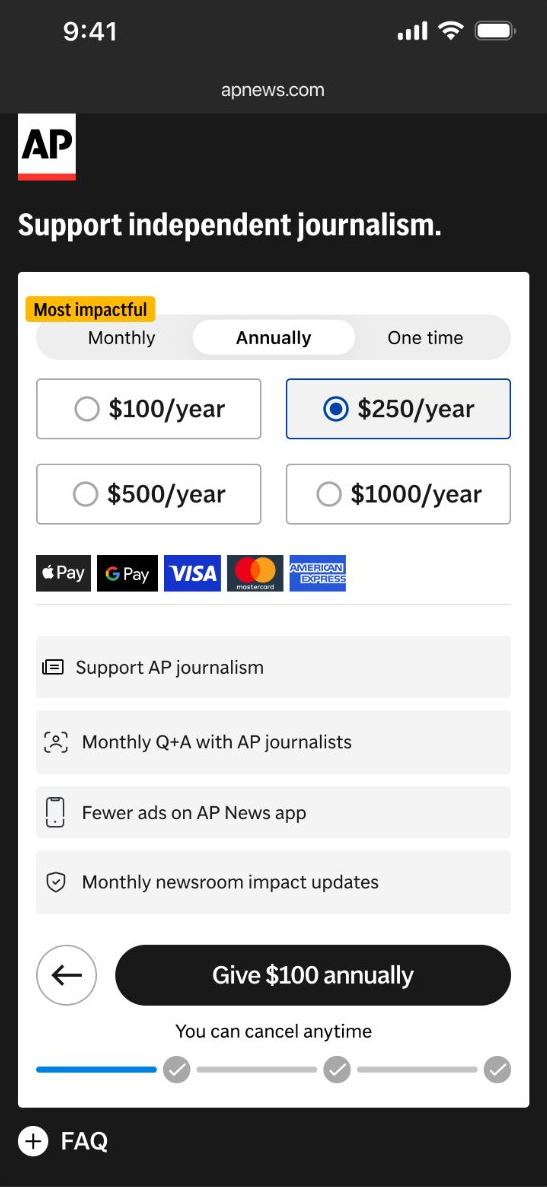
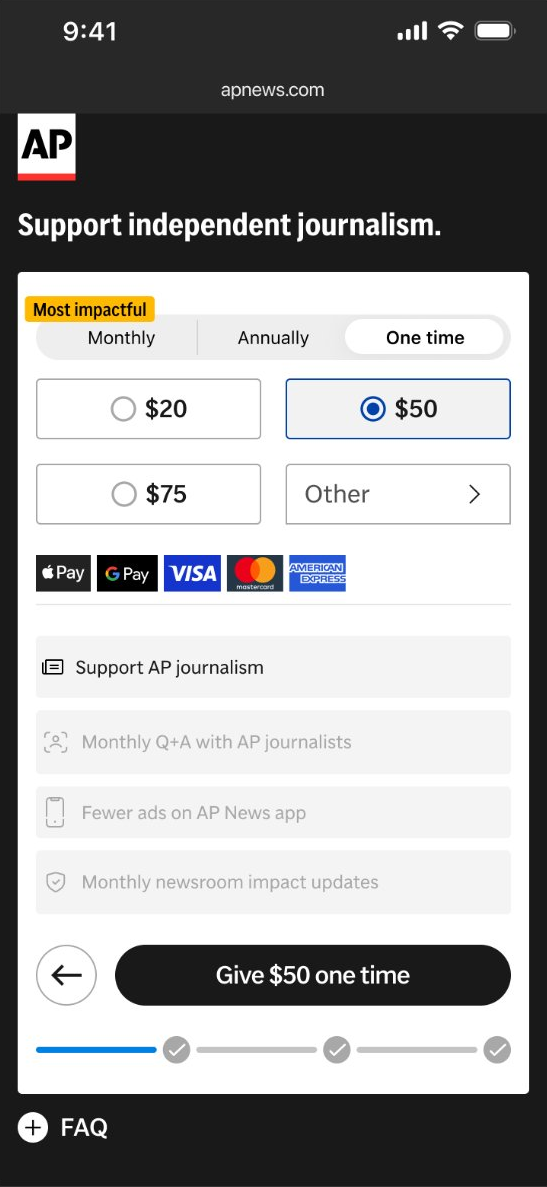
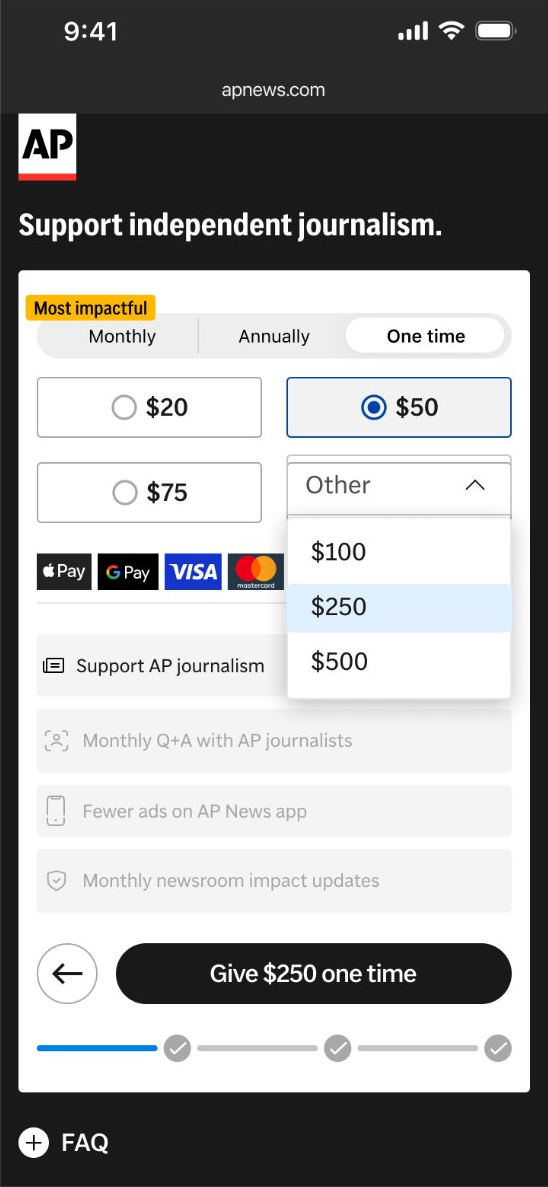
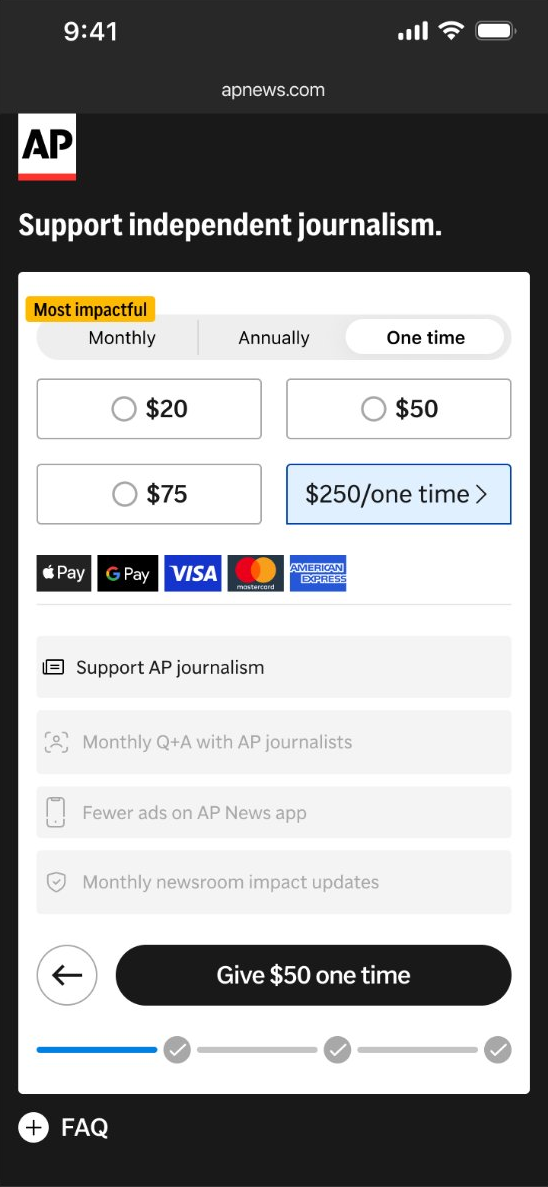
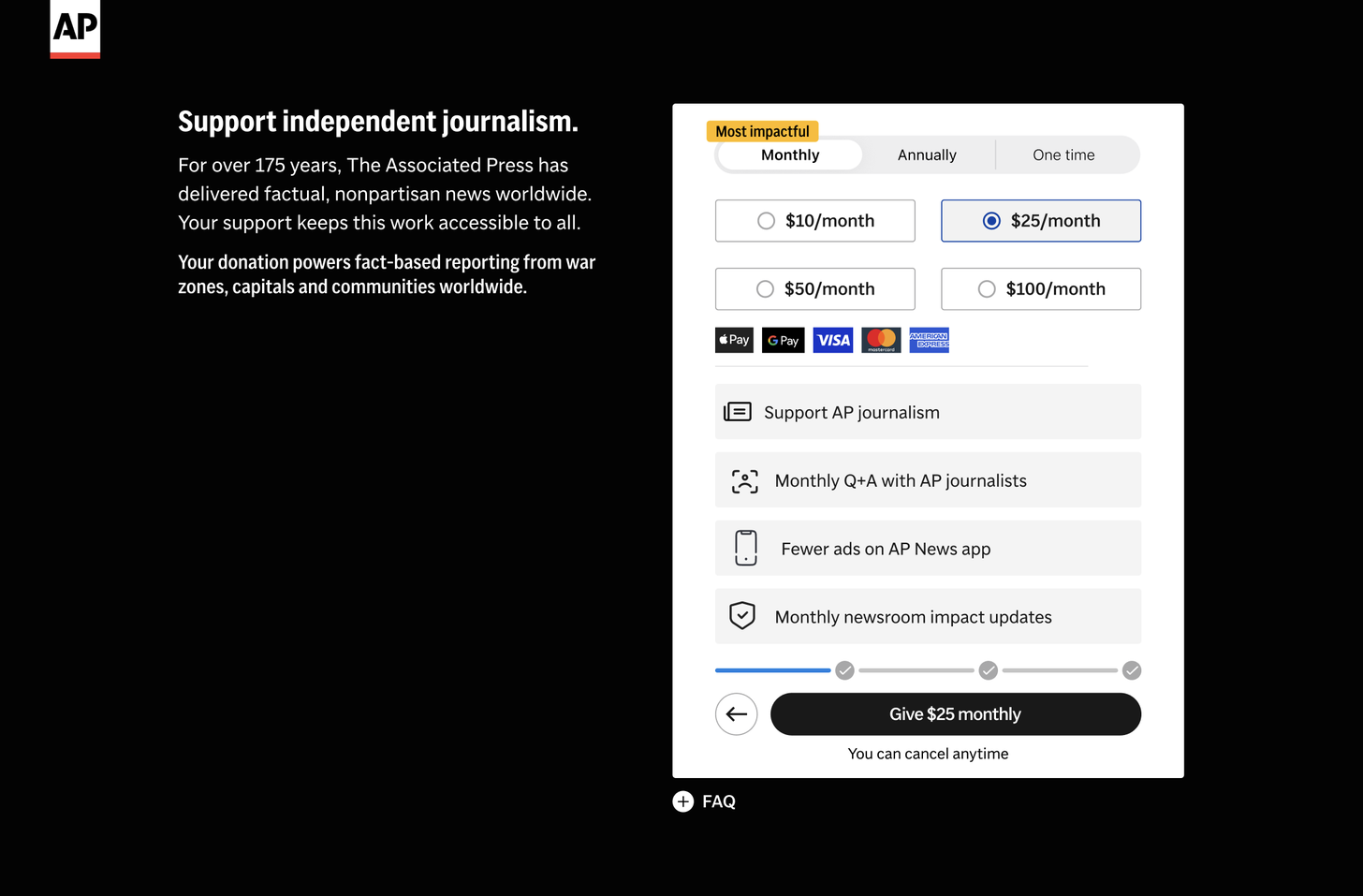
Donors pick monthly, annual or one-time from tabs at the top, with monthly marked "Most impactful." Each plan offers preset amounts, two to a row, and one-time gifts add an "Other" dropdown for larger amounts.
The benefits list changes with the plan: membership perks gray out for one-time gifts, so donors see what recurring support adds. The Give button always names the amount and frequency ("Give $250 one time"), with "You can cancel anytime" underneath.
The old page and its issues
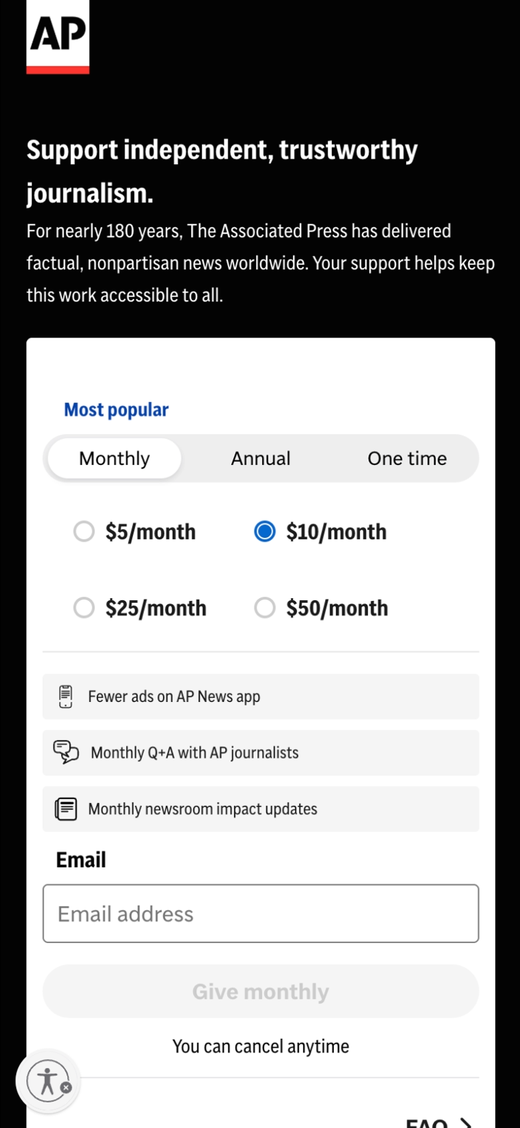
- 1Oversized logo Eats space before anything useful.
- 2Long intro copy Pushes the picker and Give button down.
- 3Unclear label "Most popular" reads like a header.
- 4Locked presets The vendor page won't let us change or test the amounts.
- 5Weak tap targets Small radio buttons, off center.
- 6Benefits hard to read Gray rows that blur together.
- 7Email comes first Required before you can give.
- 8Weak Give button Faint, and disabled until a choice.
- 9FAQ looks like a CTA Competes with the real button.
The redesigned plan step
- 1Smaller logo Content starts sooner.
- 2Short headline One line, so the picker moves up.
- 3A real tag "Most impactful" marks the monthly plan.
- 4Clear amount cards Easy to tap, and the amounts are now ours to A/B test.
- 5Payment options up front Wallets and cards shown at a glance.
- 6Benefits you can read Bigger rows that change with the plan.
- 7Strong Give button Names the amount, no email needed.
- 8Step counter Donors see where they are.
- 9FAQ as a quiet link Out of the button's way.
On a 360px phone, everything a donor needs, including the Give button, now fits on the first screen.
Other states of the same step
Section 04 · Sign-in
Email or social sign-in
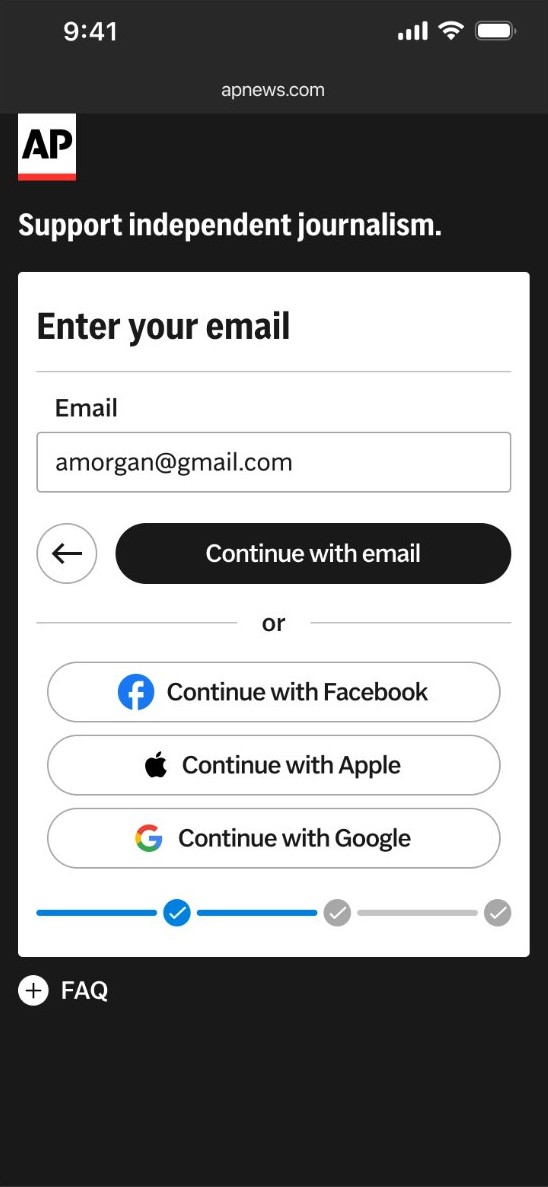
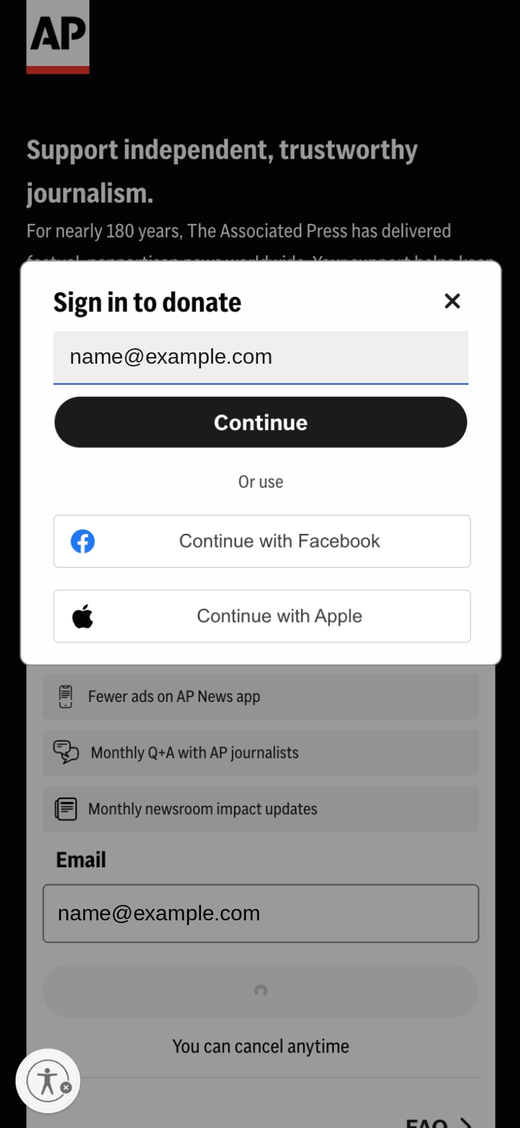
Donors continue with their email, or with Facebook, Apple or Google in one tap.
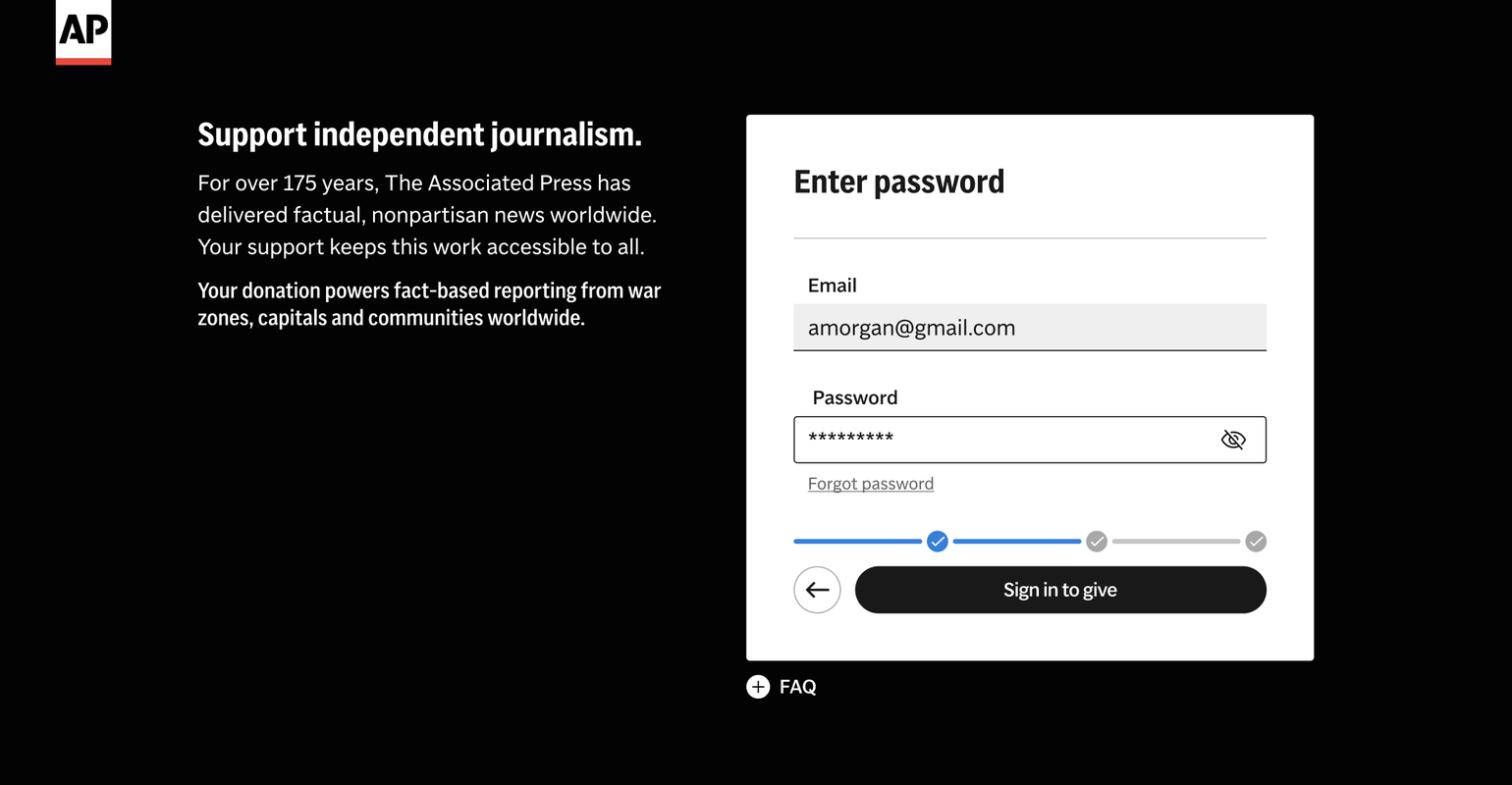
Donors who already have an AP account sign in right here, with an inline password field and forgot password, without leaving the flow. Anonymous donors skip straight to payment.
Section 05 · Pay
Pay: a requirement that arrived in QA
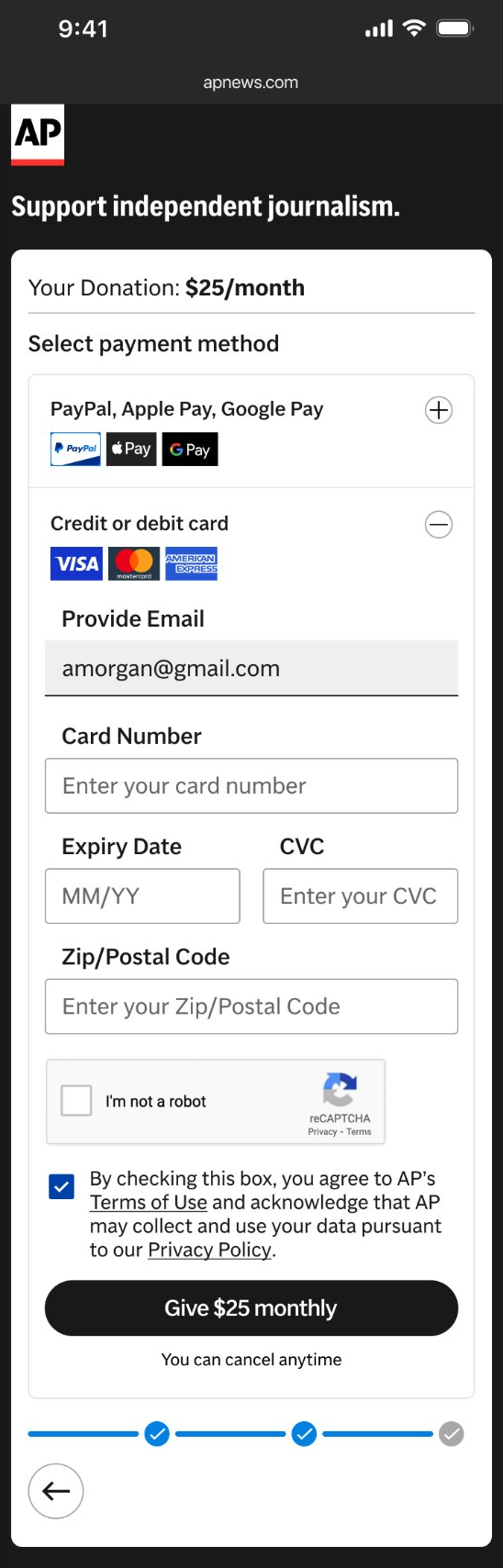
With the flow fully designed, legal added a rule: donors must check the Terms of Use and Privacy Policy box before paying, by wallet or by card. The box starts unchecked.
In our first payment design, that box sat at the bottom of the card form, about 500px below the wallet buttons. On a typical 360 by 640 phone screen, the wallet buttons are in view on arrival and the consent box is below the fold. A donor could tap Apple Pay without ever seeing it.
A required step belongs next to the button it unlocks.
If it sits below the button it gates, people tap the button first and fail. Every option that followed was judged against this.
Our first payment design
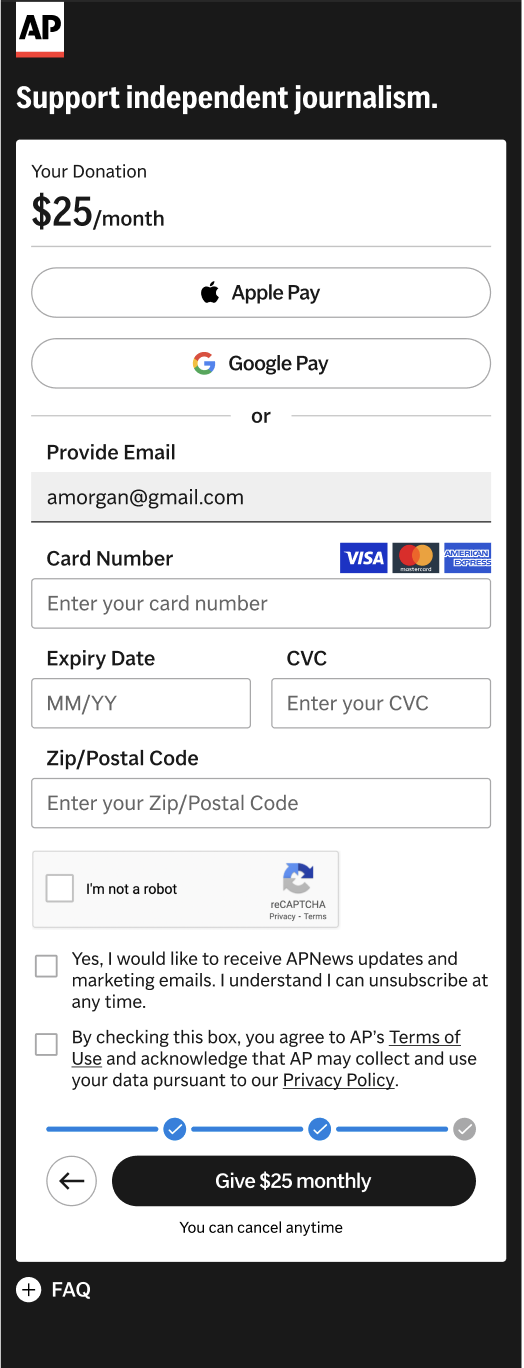
- 1Wallets on top Ready to tap the moment the step loads.
- 2Pays on tap Apple Pay could fire with consent unseen.
- 3Long card form in between About 500px of fields push consent down.
- 4Consent below the fold Required, but out of view on arrival.
On a 360 by 640 phone, a donor could pay without ever seeing the consent box.
Before shipping a fix, we tried four ways to bring consent into view.
Section 06 · Consent options
Four ways to bring consent into view
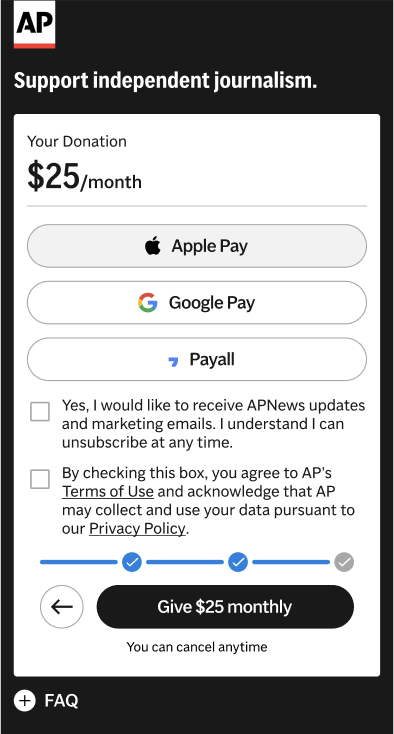
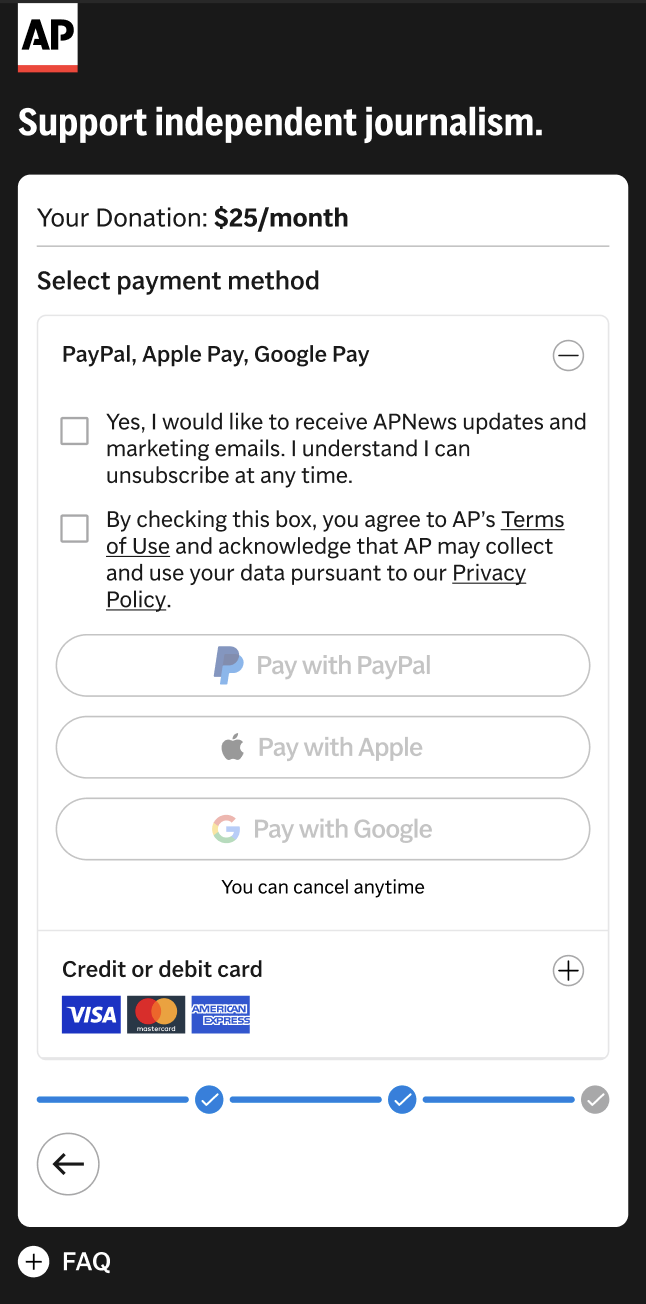
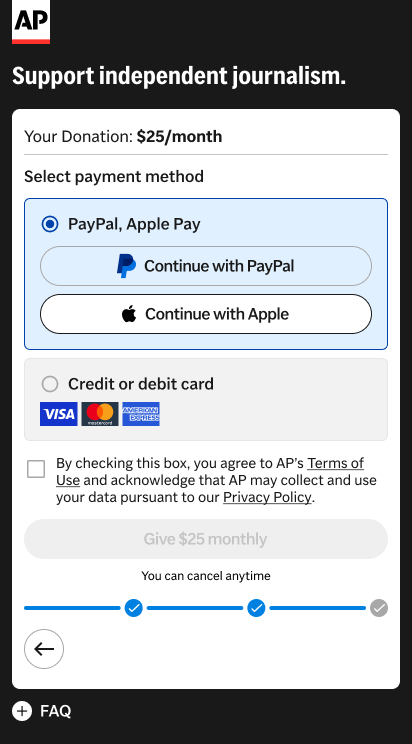
Each option fixes the wallet path. They differ in what they cost the card path, how many steps they add, and whether wallets stay visible.
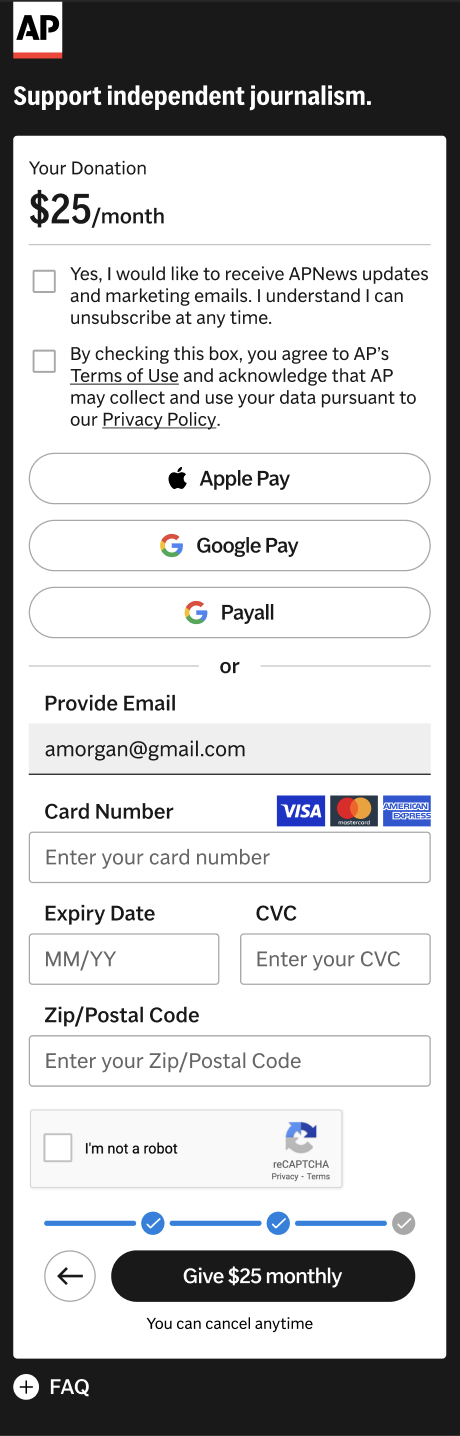
| Option | Consent by wallet action | Consent by card Give | Extra steps | Wallets on arrival |
|---|---|---|---|---|
| 1. Consent on top | Yes | No, about 700px above | None | Yes, under legal text |
| 2. Consent after tap | Page changes | Yes | +2 for wallet donors | Yes |
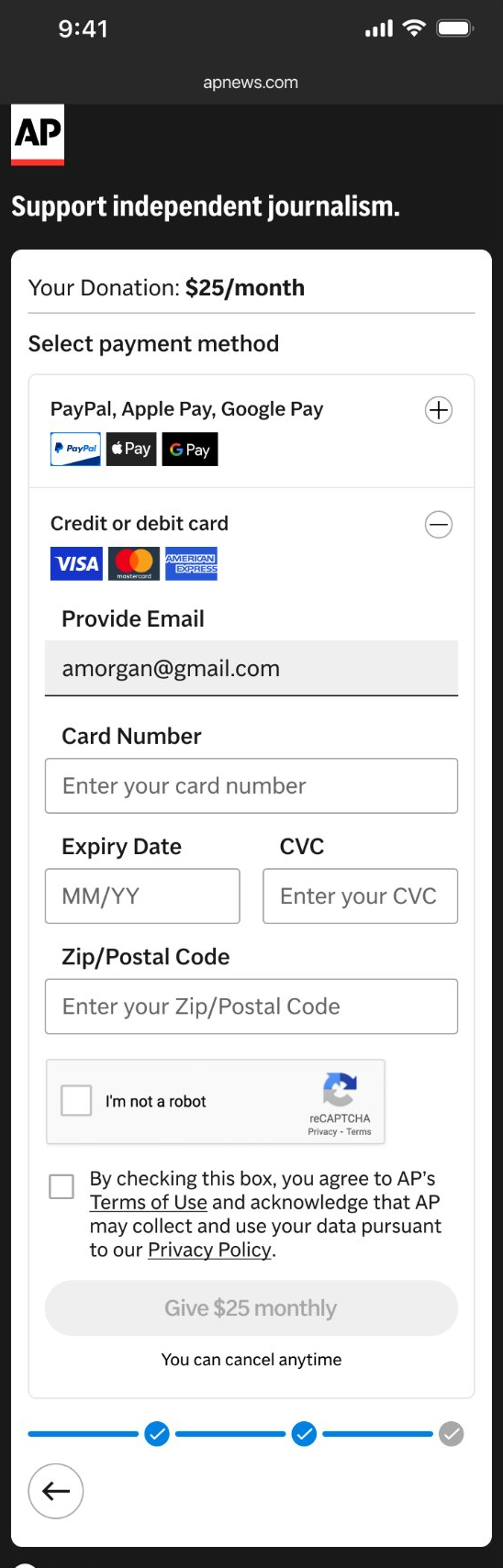
| 3. Accordion (shipped) | Yes | Yes | +1 for wallet donors (card opens by default) | Logos only |
| 4. Method picker | Yes, above Give | Yes | +1 for everyone | Yes |
Options 1 to 3 were measured at XS (360px); Option 4 is drawn at SM (412px), so pixel distances aren't directly comparable.
What we shipped, and why
We shipped Option 3, with card pay open by default. On both paths, the Terms box sits right above the button it unlocks. The trade-off: wallet donors take one extra tap.
A late fix for a late legal requirement. We'll test it, and rebuild if the data says so.
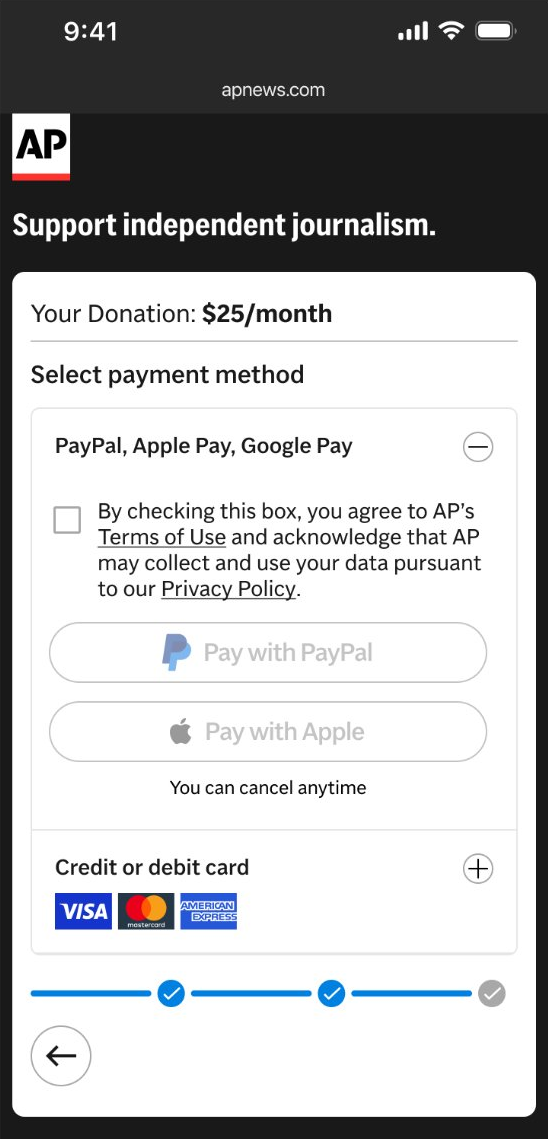
Consent next to every button
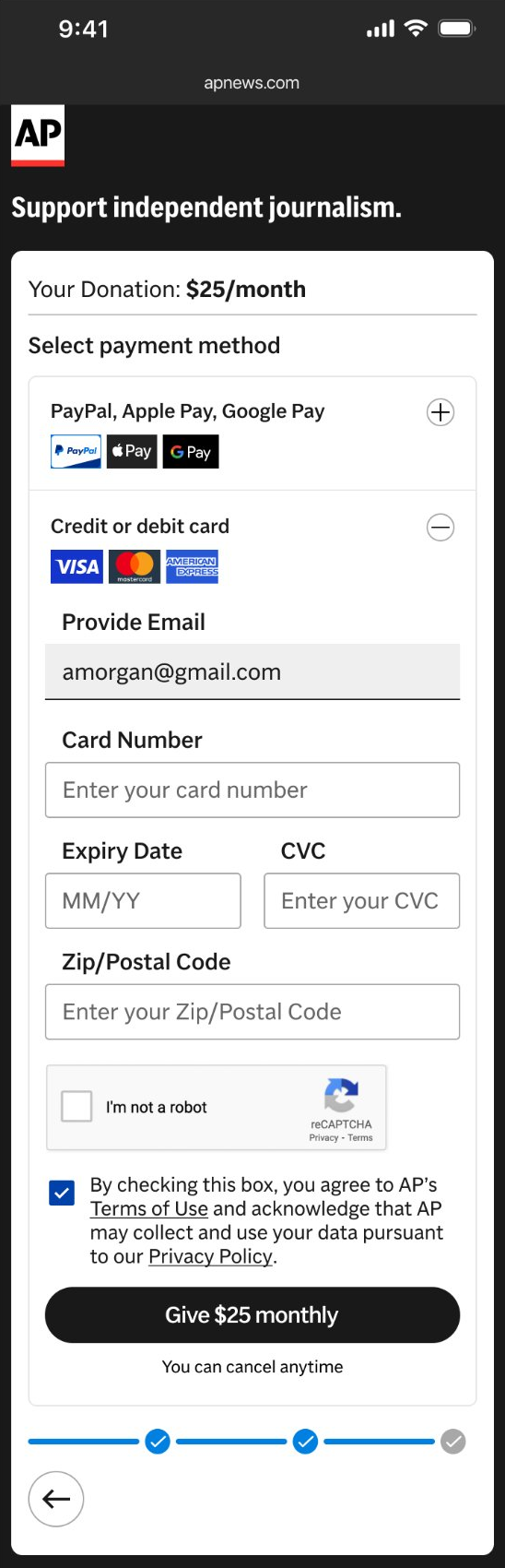
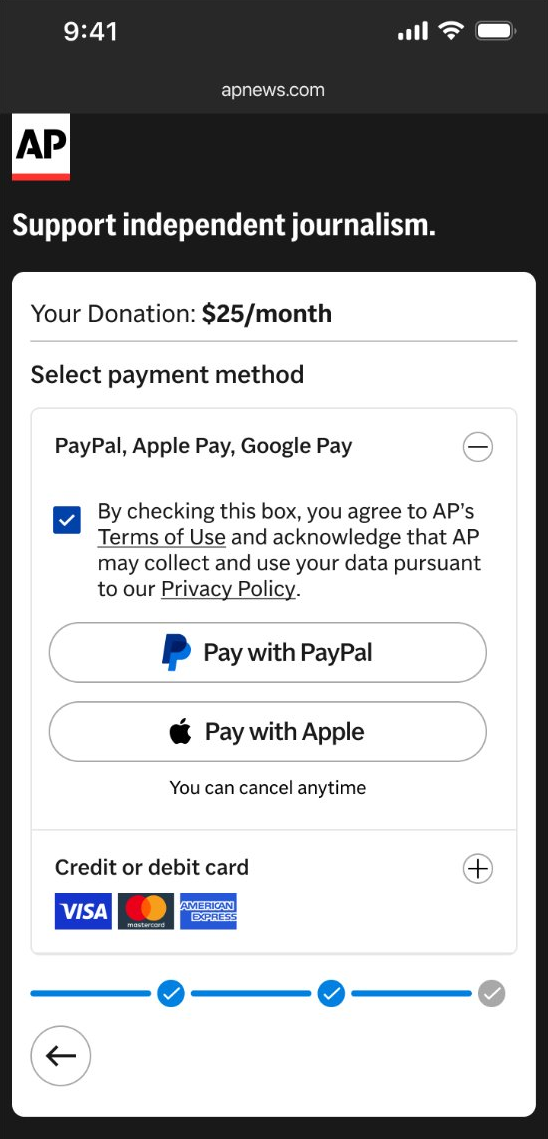
- 1Card opens by default Wallets wait behind one tap.
- 2Consent above Give Give stays off until it's checked.
- 3Consent above the buttons Wallet donors can't skip it.
- 4Buttons unlock when checked PayPal and Apple stay off until then.
Section 07 · Editors Circle
From donor to member: the Editors Circle
As part of the redesign we introduced the Editors Circle, the new name for AP's recurring donor tier. Naming the tier turns a monthly payment into a membership. I designed its logo.
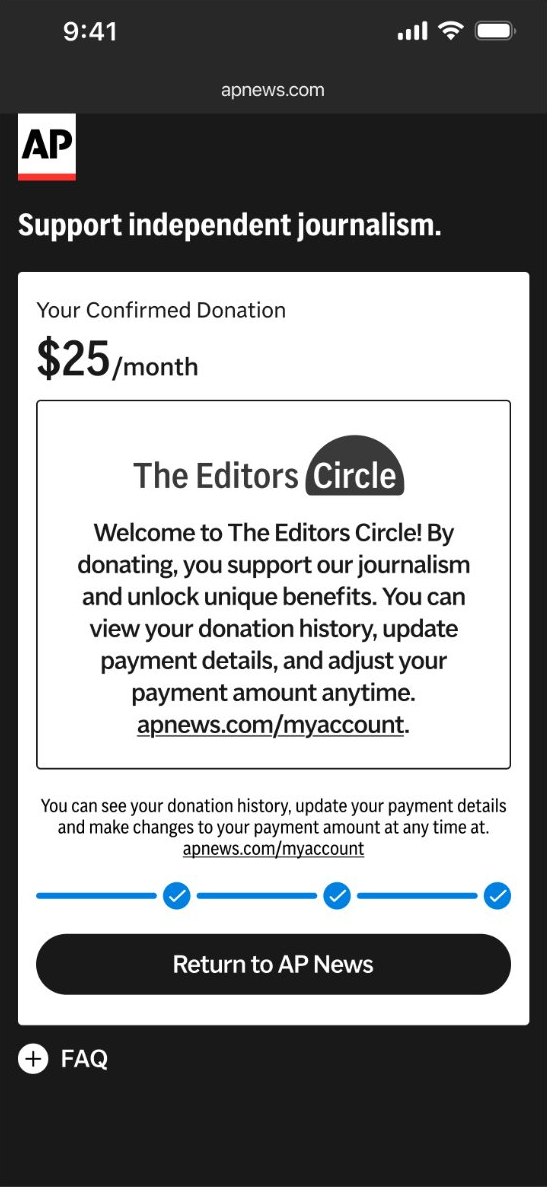
The flow ends on it: donors land on an Editors Circle welcome with a link to their AP account, so they finish as members, not just payers.
The Editors Circle is what we call recurring donors: give monthly or annually and you join it. The confirmation welcomes members by name, turning a one-off gift into membership.
Section 08 · Breakpoints
One system, five breakpoints
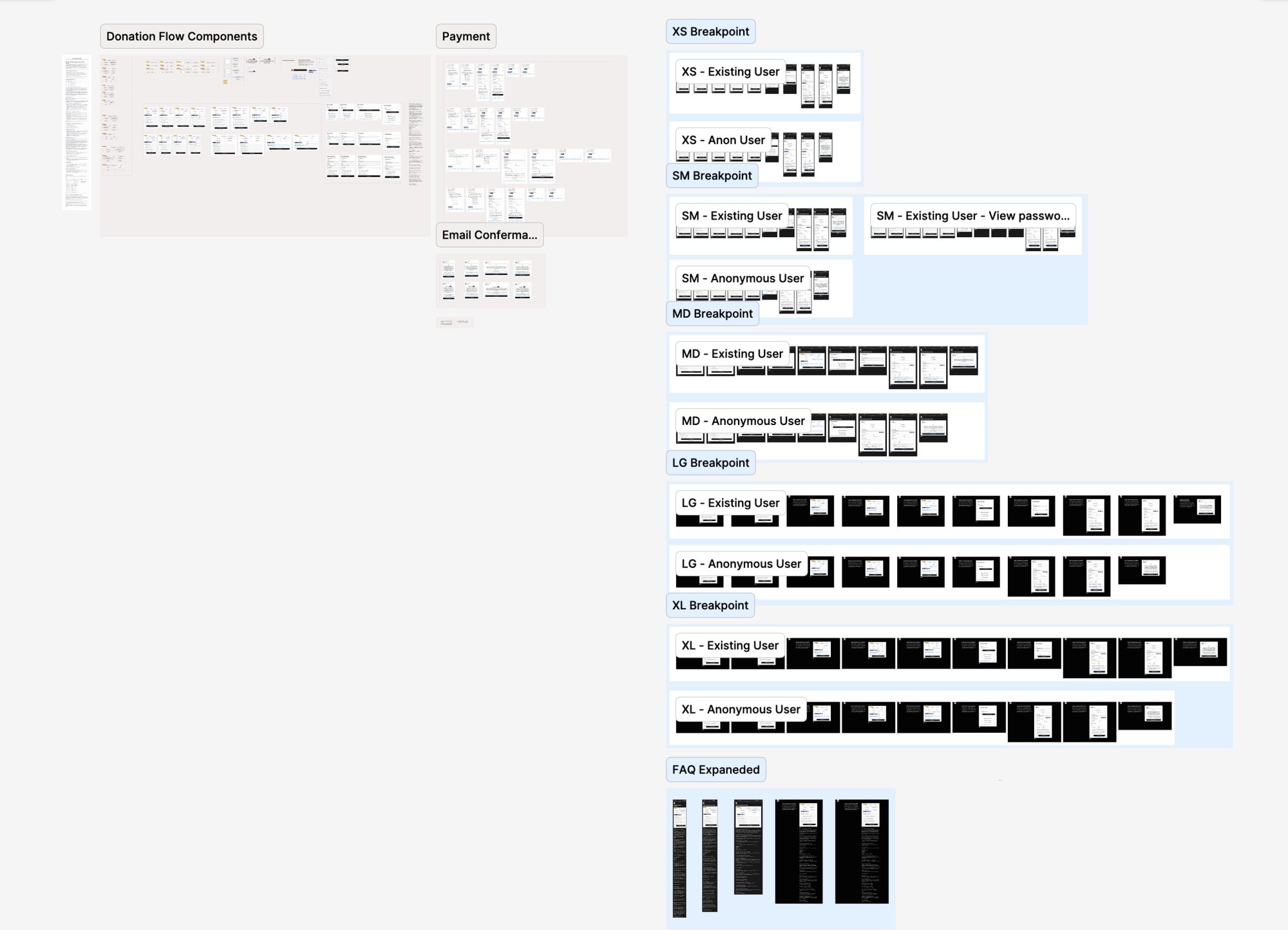
I built the flow from components rather than one-off screens, so every step behaves the same at every size and future test variants can be assembled from the same parts. Each step is designed for existing and anonymous users at all five breakpoints.
The same components carry the flow from a 360px phone to a 1440px desktop. At LG and XL, the intro moves beside the donation picker instead of above it.
Shared components include the donation picker, payment picker, inline sign-in and registration, forgot password, entitlements, progress button, US and non-US consent checkboxes, FAQ and confirmation.
Frame widths in px, drawn to scale
Section 09 · Moving target
Designing with a moving target
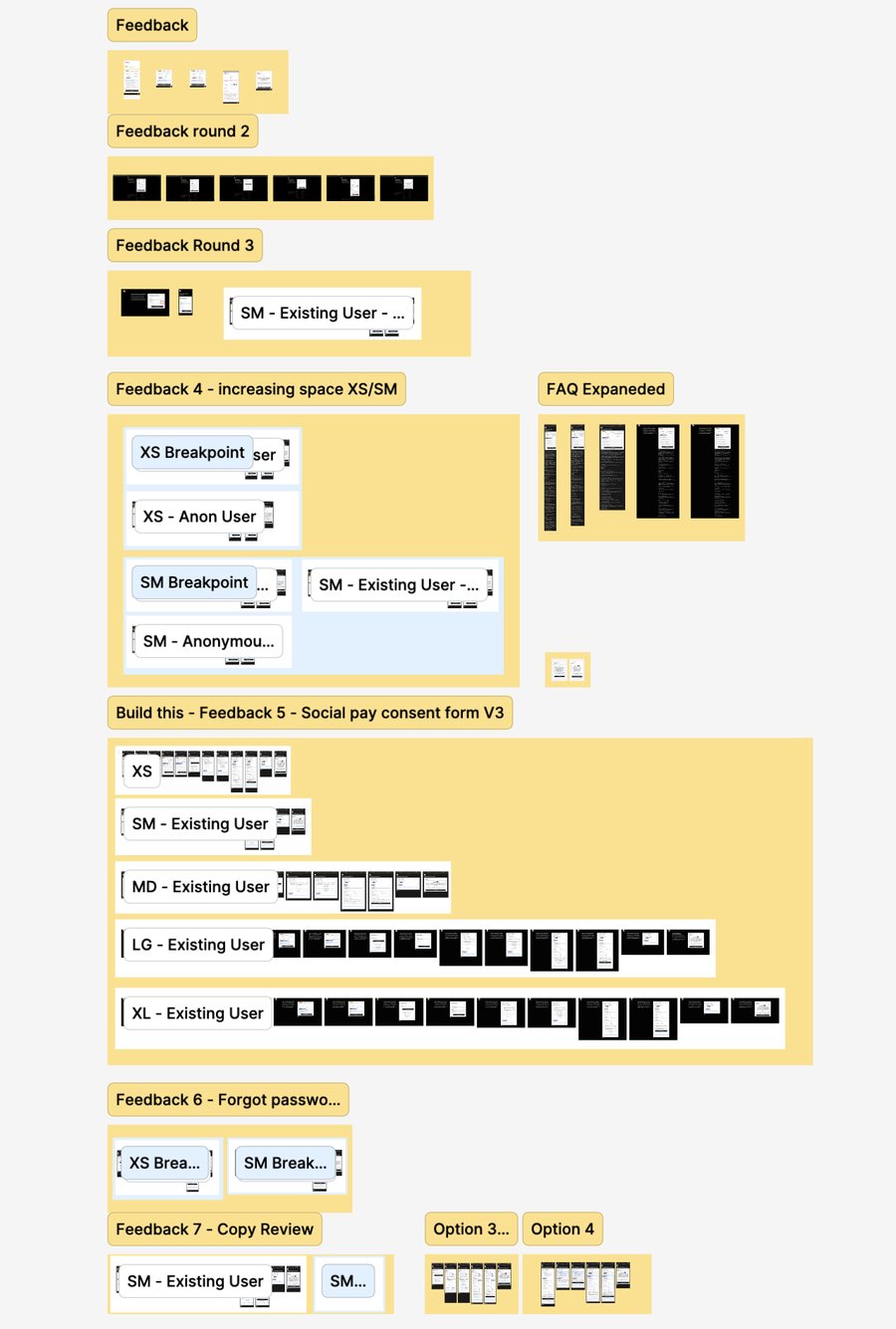
The design kept changing after handoff. I ran every change through one review board in Figma, round by round, so the developer always knew what changed and why, and the spec stayed the single source of truth.
What each round covered
- 1–3UI polish with the developer. Feedback on spacing and visual details as the build came together.
- 4More room at small breakpoints. Stakeholders felt XS and SM were cramped, so we opened up the spacing.
- 5–7The legal shift. Late UX changes from the consent requirement: the new consent form (V3), forgot password, and a copy review of the thank-you page.
Each round grouped only the screens that changed, so the developer always knew what moved and why.
The handoff
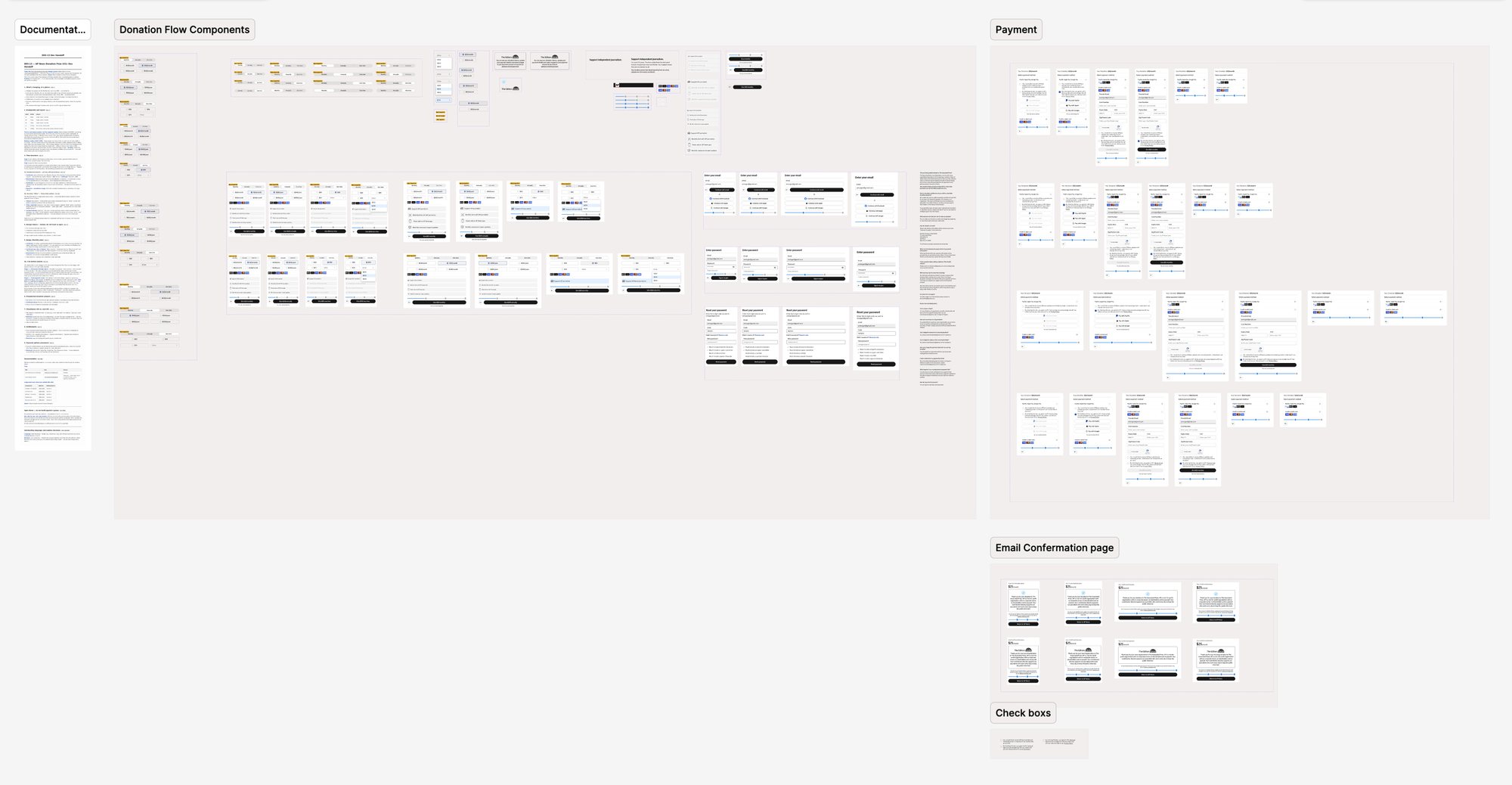
What owning the code makes possible
Earlier versions lived with an outside provider, so we couldn't test them. This version is the baseline for A/B testing, and the plan is to build and test different flows against it. If wallet share drops, the explorations become the test plan: Option 4 keeps wallets visible on arrival, and Option 1 removes the extra tap.
[Placeholder: results since launch, if any.]
| Metric | Why it matters | Baseline |
|---|---|---|
| Wallet share | Whether the extra tap slows the fastest path | [TBD] |
| Payment step drop-off | The cost of opening a section | [TBD] |
| Blocked wallet taps | Whether consent is still missed | [TBD] |
| Completion rate | Overall health of the flow | [TBD] |
Section 10 · Reflection
Reflection
[Placeholder, in your words. What would you do differently, for example surfacing compliance requirements before the full flow was designed? What did the feedback page teach you about working with engineering? What does a component-built version make easier for the next test?]
Eitan Goldstein, Senior Product Designer, AP News